Welcome to my world!
Index

The UID Maintenance App is a digital platform that streamlines complaint reporting and resolution across the campus. It connects students, staff, and administrators in a transparent system where issues can be reported, tracked, and updated in real time.
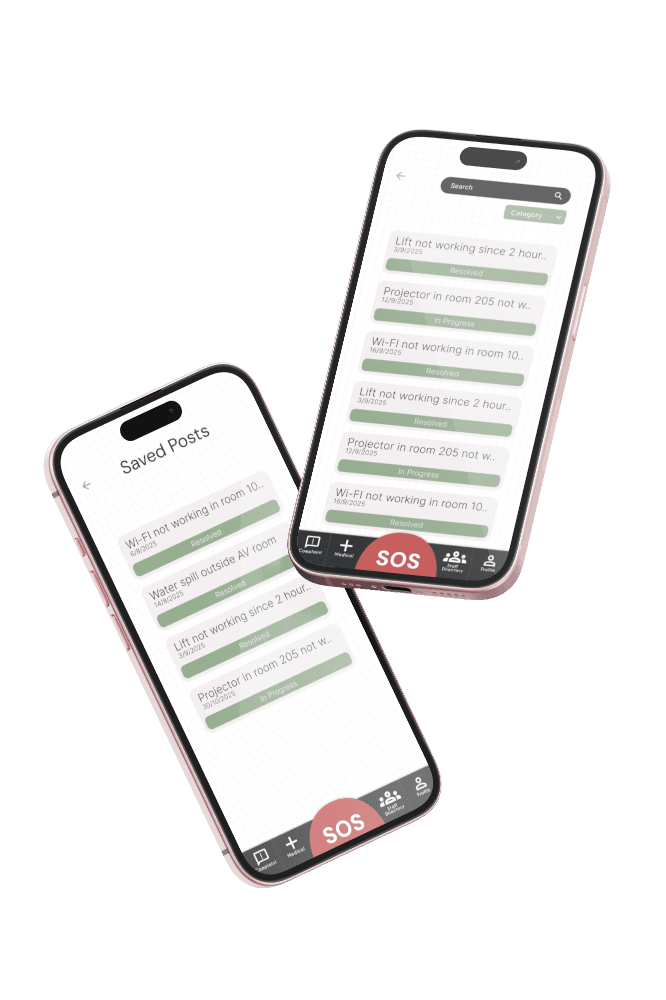
Key challenges FACED BY UID STUDENTS AND STAFF MEMBERS included
GOALS
To simplify and streamline college maintenance management for students through a user-friendly digital platform.
The NFT ecosystem has grown rapidly through platforms like OpenSea and Rarible
USER

PERSONA

User Research
1
I interviewed 8 students, 3 faculty members, and 2 administrative staff to gain insights into their current workflows, pain points, and expectations. These conversations focused on how issues are reported, how communication happens within the college, and how resolution is tracked.
2
In addition to interviews, I conducted contextual inquiry by observing how students typically raise complaints—whether through informal channels like WhatsApp, emails, or in-person interactions. This helped uncover gaps between intended processes and actual behavior.
3
To further validate these findings, I reviewed existing college ERP systems and complaint management platforms to identify common patterns and missing capabilities.
USER JOURNEY MAP

Discovery Stage
DISCOVER
The journey begins when the student encounters an issue that disrupts their daily academic experience, such as a malfunctioning projector, poor Wi-Fi connectivity, water leakage, hostel maintenance problems, or cleanliness concerns
Realizing that the issue needs immediate attention,
the student decides to report it instead of ignoring it. However, before using the app, they are often unsure about the correct person or department responsible for resolving the problem.
Their primary goal at this stage is to find a simple and reliable way to raise the issue without wasting time visiting multiple offices.

Seeking for help
FIND HELP
Instead of asking classmates, visiting administrative offices, or contacting different staff members individually, the student opens the CollegeUp app.
The app presents a structured list of complaint categories, making it easy to identify the type of issue being faced.
After selecting the appropriate category, the complaint is automatically routed to the responsible department or staff member.
This eliminates confusion, reduces unnecessary effort, and ensures that the complaint reaches the right person from the beginning
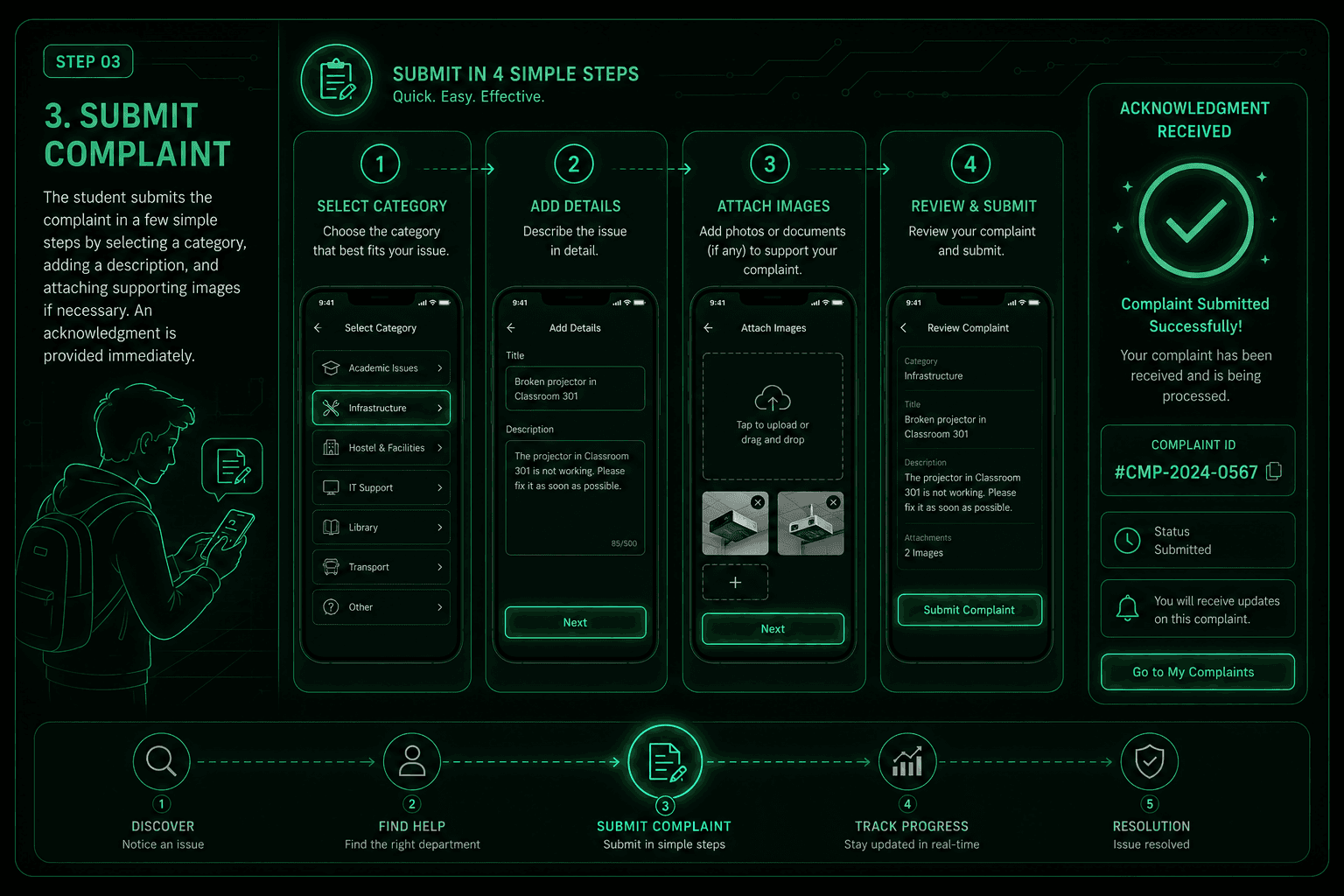
Submit stage
Submit complaint
Once the correct category has been selected, the student is guided through a simple and intuitive complaint submission process.
They provide a brief title, describe the issue in detail, and can optionally upload supporting photos or documents to give additional context.
After reviewing the information, the student submits the complaint with a single tap
The system immediately generates a unique complaint ID, confirms successful submission, and informs the student that the complaint has been assigned for review, giving them confidence that their request has been officially recorded.

Progress report
Track progress
After submitting the complaint, the student no longer has to repeatedly visit the administration office or ask for updates.
Through the app, they can monitor the complaint's progress in real time using a clear status timeline such as Submitted, Assigned, In Progress, and Resolved
Push notifications keep the student informed whenever the complaint status changes.
If additional information is required, the student can communicate directly with the assigned staff member through the built-in chat feature, ensuring smooth collaboration and complete transparency throughout the resolution process.

status report
Resolution
When the issue has been successfully resolved, the student receives a notification confirming that the complaint has been completed.
They can review the resolution details and verify whether the issue has been fixed satisfactorily.
If everything is resolved, the student marks the complaint as completed and is encouraged to rate the service and provide feedback about their experience.
This feedback helps the college administration evaluate service quality, identify areas for improvement, and continuously enhance the overall campus experience for future students.
DESIGN ITRATIONS





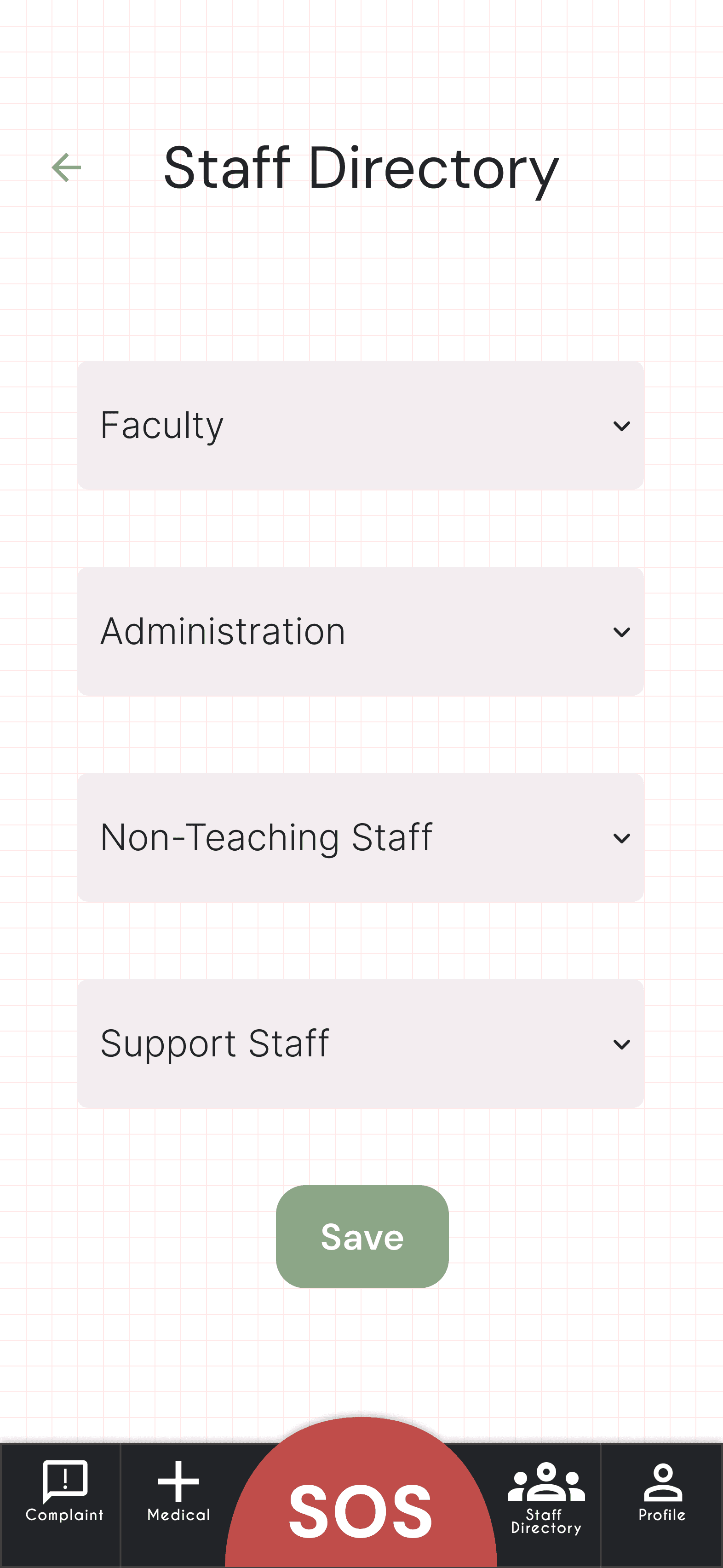



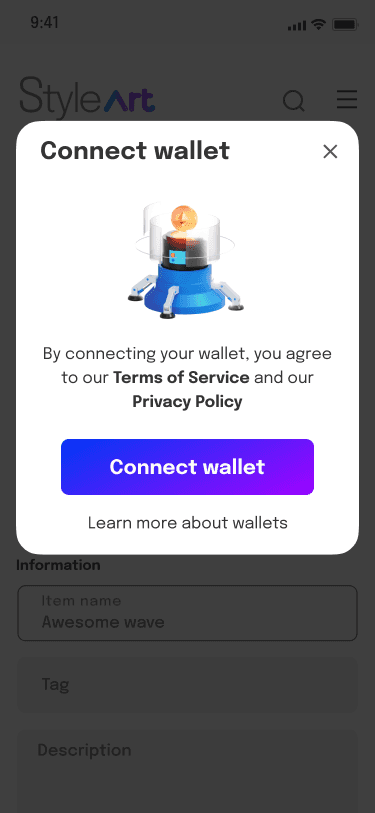
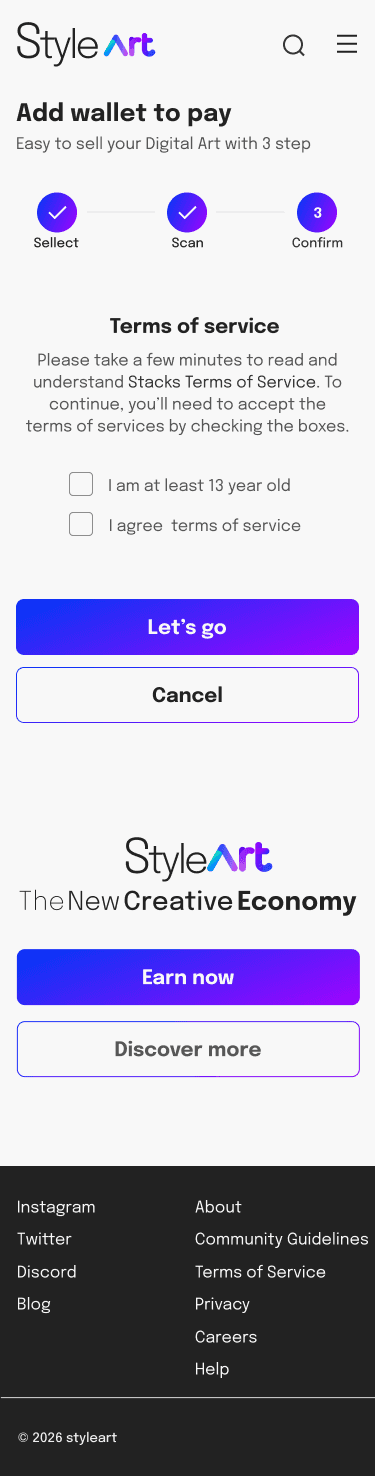
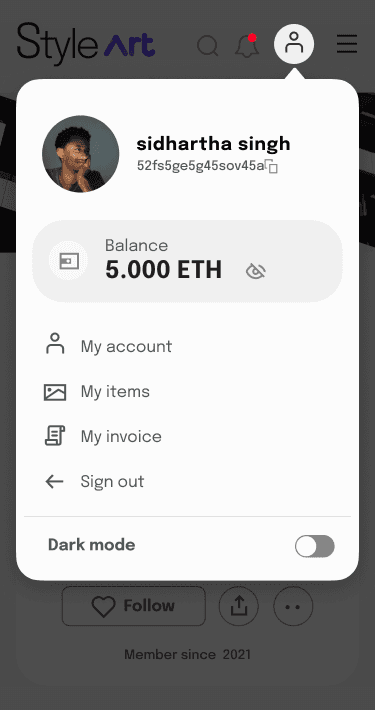
HIGH FIDILITY
DESIGNED FOR BIGGNERS
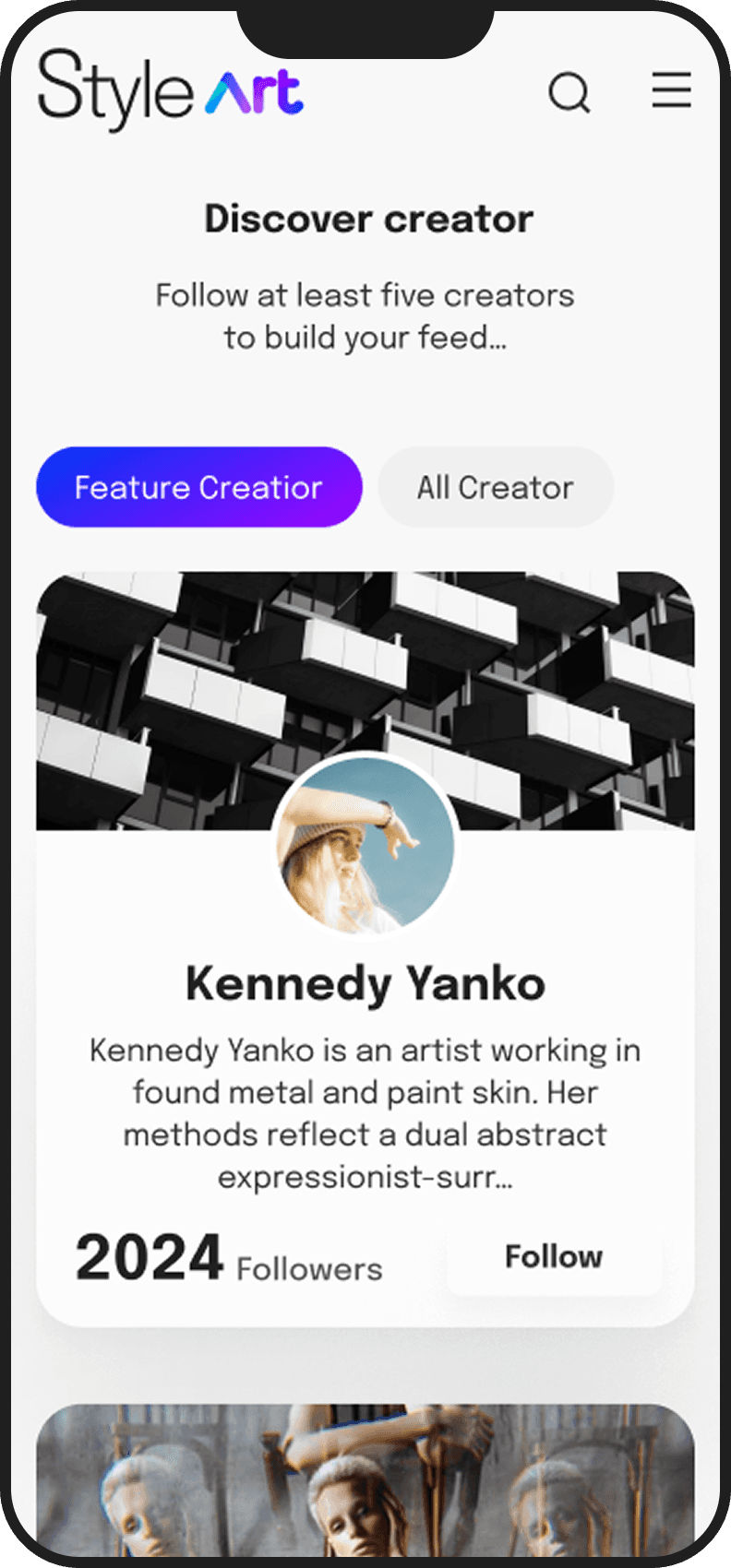
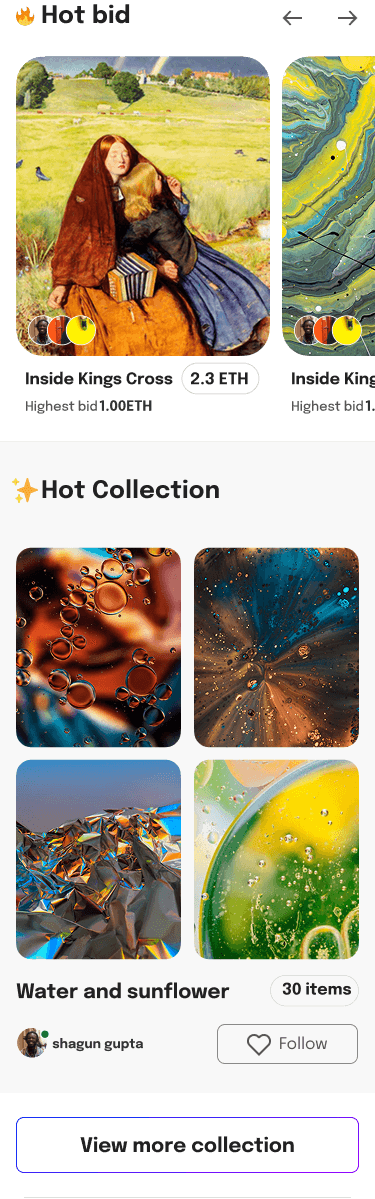
The final design resulted in a simplified NFT marketplace experience that improved usability for beginner users.
Problem:
How might we design an NFT ?
A marketplace that allows students and first-time users to confidently buy and sell NFTs without feeling technically overwhelmed or financially anxious?
